
How to Increase Google Search Visibility with Better SEO
Improve Google search visibility with practical guidance on intent research, useful page design, Search Console analysis and ongoing SEO prioritisation.

To increase Google search visibility, build pages that answer a clear audience need, make them easy for Google to understand, and improve them using search performance data. Start by researching the intent behind relevant queries, then create or refine a distinct page for each task. Track impressions, clicks and rankings to find gaps and guide your next changes.
Visibility is not simply a matter of publishing more content or repeating a target phrase. A page needs to match what a searcher wants, offer information or functionality that satisfies that need, and present it in a format Google can interpret and users can trust.
This checklist moves from understanding visibility to researching intent, shaping pages around real tasks and prioritising work with search data. Use it to assess existing pages as well as plan new ones, and treat performance as a continuing feedback loop rather than a one-off launch check.
- Define visibility around relevant queries, pages and audience outcomes.
- Research the task behind each query and match it with the right page format.
- Give every page a distinct job, and make its answer easy to find.
- Use Search Console evidence to prioritise changes and assess them against a baseline.
What Google Search Visibility Means
Define Visibility Clearly
Google search visibility describes how readily your pages appear for queries that matter to your organisation and audience. It is broader than a single ranking: a useful view considers which queries show your pages, where they appear, and whether searchers choose them. For example, a service page can gain visibility for problem-led searches as well as its category name.
- ☐ Choose the audience and query themes that matter to your organisation.
- ☐ Record which pages should answer those themes.
- ☐ Review impressions and clicks by query and landing page.
- ☐ Check whether the visitors arriving match the intended audience.
Separate visibility from traffic, because the measures answer different questions. Impressions indicate that a result was shown, while clicks show that someone selected it; neither alone proves the page met the visitor’s need. Compare both with query and landing-page data to see whether a page is being discovered and whether its presentation earns attention.
Keep the scope tied to business-relevant searches instead of chasing every impression. A specialist provider may value a smaller set of high-intent queries more than broad exposure that attracts the wrong audience. Define priority topics, locations or markets where relevant, and the pages expected to serve them before setting targets or interpreting movement.
Read Results in Context
A ranking is a snapshot, not a complete diagnosis of search performance. Results can vary by query, device, location and time, so a position change needs context before it triggers a content rewrite. Review patterns across related searches and compare the page’s impressions and clicks over a consistent period that suits its level of activity.
Search result features also affect what a visible listing can achieve. A result may appear alongside maps, videos, product listings or other prominent elements, changing how much attention ordinary links receive. Inspect the live results for priority queries and note which formats appear, then judge whether your page’s format fits the searcher’s task.
When researching exact wording for Turkish search audiences, a resource showing canlı döviz kurları can help illustrate the immediate information users expect from a currency query. Use examples like this to understand the kind of answer a query promises, not as a substitute for checking your own audience’s language. The aim is to make visibility meaningful, not merely countable.
Start with Search Intent and Audience Needs

Uncover the Search Task
Identify what a person is trying to accomplish before choosing a page format or drafting copy. A query such as “how to fix a slow website” signals a need for diagnosis and practical steps, while “website speed audit service” suggests someone comparing providers. Similar wording can conceal different stages of decision-making, so inspect the full query and its context.
- Infer the task from the whole query, not one keyword.
- Check result formats to understand what searchers are offered.
- Match the page type to the action or answer people need.
Look at the results Google currently returns for a priority query to understand the answer format searchers are being offered. Guides, comparison pages, local listings and tools each point to different expectations. Treat the results as evidence rather than a template: assess whether the visible pages solve the task well and where your organisation can provide a more useful answer.
For teams assessing how people phrase conversion-related searches, döviz kurları çevir offers a concrete example of a tool built around a clear user task. The principle applies across topics: identify the action or answer behind the wording, then decide whether a guide, calculator, product page or other format can meet it. Validate the assumption against real query and customer language.
Use Audience Language
Collect the words customers use when describing their problem, desired result and concerns. Search Console queries, sales conversations, support questions and site searches can all reveal how people express a need. Group close variants by meaning, rather than treating every spelling or phrasing difference as a separate content opportunity.
Map each query group to an audience and a stage in its decision. Someone asking “what is technical SEO” needs a clear explanation, while someone searching for an audit checklist may be ready to assess a site. This distinction helps teams choose the depth, examples and next steps that will be genuinely useful to each reader.
Check whether your interpretation holds across the markets and languages you serve. A direct translation may not reflect how local audiences phrase a question or describe a product, so use native-language research where possible. Confirm the intended meaning with people who understand the audience, then keep the page focused on the need rather than forcing a keyword into every heading.
- Collect customer questions from sales and support teams.
- Group queries by shared meaning and audience need.
- Assign each group to a relevant decision stage.
- Validate local phrasing with people familiar with that market.
Build Pages Around Distinct Search Tasks
Give Each Page a Job
Give every priority page a clear search task and a defined audience, so its content does not compete with another page on your own site. A guide explaining how to audit backlinks should not be confused with a service page for hiring an agency. Write down the intended query group, reader need and useful next action before drafting.
Choose a page format that completes the task rather than merely mentioning its keywords. A comparison query may need criteria and trade-offs, while a troubleshooting query needs ordered checks and possible causes. If the task requires interaction, consider whether a tool or structured interface is more helpful than another long-form article.
Make the answer easy to find within the page. Put the main explanation or action near the beginning, use descriptive subheadings for distinct questions, and support claims with relevant examples or evidence. A reader should be able to scan the structure, understand what the page offers and reach the detail they need without sorting through unrelated material.
| Search task | Useful page type | What it should provide |
|---|---|---|
| Learn a process | Step-by-step guide | Ordered instructions and examples |
| Compare alternatives | Comparison page | Clear criteria and trade-offs |
| Evaluate a service | Service landing page | Offer details and a relevant next step |
| Complete an interactive task | Tool or calculator | A usable interface and clear results |
Choose the Right Page Type
Use the search task to decide whether to create a new page, improve an existing one or combine overlapping material. A new URL is justified when the audience needs a distinct answer that an existing page cannot provide clearly. If two pages serve the same intent, consolidate or differentiate them instead of publishing near-duplicates.
The right format depends on what the searcher needs to do, not a fixed SEO rule. A step-by-step guide suits a repeatable process, a comparison suits a choice between alternatives, and a landing page suits a defined offer. Where a task involves several needs, structure the page so users can move from the main answer to useful supporting detail.
Keep the page useful after publication by checking whether its information still matches the task and the current offer. Replace outdated instructions, clarify confusing steps and strengthen examples when reader questions expose gaps. Avoid adding sections simply to make a page longer; each addition should help the intended audience understand, decide or act.
- Create a guide for a process people need to follow.
- Use a comparison page when readers are weighing alternatives.
- Build a landing page around a specific service or offer.
- Consolidate pages that answer the same underlying task.
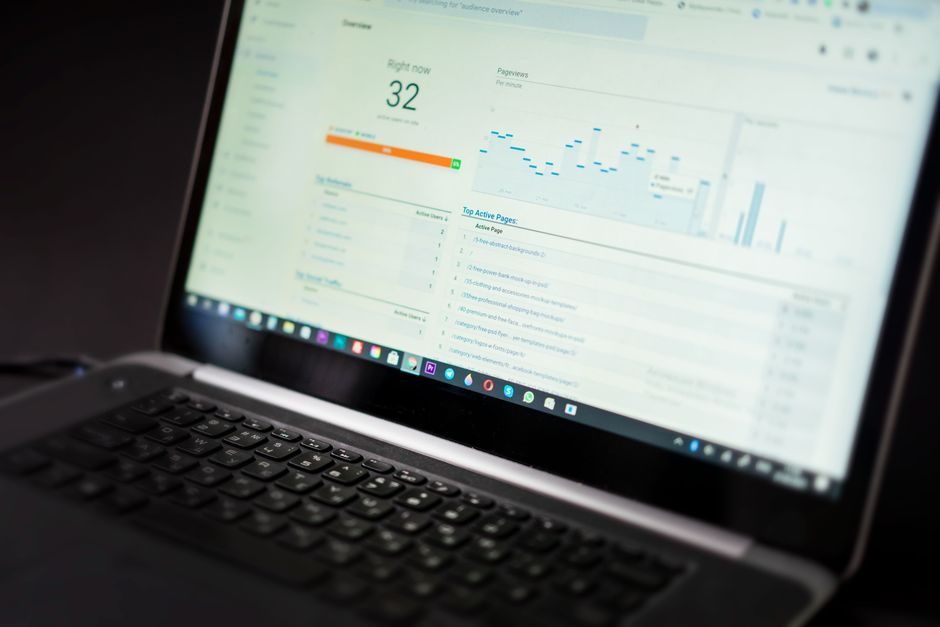
Use Google Search Console to locate queries where your site already appears but may not satisfy the searcher well.
Use Search Data to Prioritise Opportunities
Find Actionable Gaps
Use Google Search Console to locate queries where your site already appears but may not satisfy the searcher well. Filter by page and query, then compare impressions with clicks and inspect the result itself. A page with relevant impressions but few clicks may need a clearer title or description, while a mismatch between query and content may require deeper changes.
Look for missing coverage as well as weak performance. A query theme that earns impressions across several pages may signal unclear ownership, while a relevant customer question with no matching page may reveal a genuine content gap. Check the existing results and your current site before creating something new, so the response fills a need rather than duplicating material.
Prioritise opportunities by combining relevance, evidence and the work required. A small improvement to a valuable page may be more practical than a large new project based on a weak assumption. Record the expected change, the page or query group affected and the signal you will review; this makes later evaluation more useful than relying on a vague goal to improve rankings.
Measure Changes Consistently
Set a baseline before changing a page so you can compare its performance afterward. Record the page’s main query themes, impressions and clicks, and note any known site changes that could affect results. Choose a review window that allows enough time for the change to be crawled and for meaningful patterns to emerge.
Measure the outcome against the purpose of the change, not one metric in isolation. If you revised a title to clarify a page’s promise, review relevant impressions and click behaviour; if you added a practical answer, examine whether the page earns visibility for the intended query group. Keep an eye on conversions or other business outcomes where tracking is reliable.
Treat results as feedback, not proof that one edit caused every movement. Search demand, competing pages and wider site changes can influence performance at the same time. If the signal is unclear, inspect the page and query data again, document what changed, and make the next adjustment small enough to evaluate without losing sight of the reader’s task.
- Capture a baseline for the page and its priority query themes.
- Record the change and the outcome it is meant to improve.
- Review relevant search data after the page has had time to appear.
- Document findings before deciding on another adjustment.
Strengthen On-Page Signals and Internal Links
Clarify Each Page’s Purpose
Give every important page a descriptive title that states what a visitor will find, then make the opening paragraph deliver on that promise. A page about fixing crawl errors, for example, should identify the problem and point readers toward a practical diagnostic process. Clear titles and introductions help visitors judge relevance before they commit their time.
Write a distinct title tag and main heading for each page rather than repeating a sitewide template with only a keyword changed. Keep the wording natural and specific to the page’s subject, and avoid promising results the content cannot support. Search snippets may differ from your title tag, but a clear, accurate title gives Google and searchers a useful signal.
Review headings, image descriptions and page copy as a connected set of cues, not as places to insert the same phrase repeatedly. A guide to comparing accounting software might use headings for features, integrations and implementation, with descriptive image text only where an image conveys information. This makes the page easier to scan while keeping its subject clear.
Connect Related Pages
Add internal links where they help readers take a logical next step, such as moving from an overview of technical SEO to a detailed explanation of canonical tags. Use concise anchor text that describes the destination, rather than a vague instruction such as “click here.” Relevant links also help search engines discover pages and understand how topics relate.
Start with pages that already attract visitors or have strong links from other sites, then identify useful supporting content they could point to. A glossary entry about structured data might link to an implementation guide, while that guide links back to a broader technical checklist. Check that each destination is accessible and that the link wording accurately describes it.
Avoid building large blocks of links merely to increase the number of internal connections. A link belongs on a page when it answers a likely follow-up question or helps someone complete a task. Review navigation and contextual links after major site changes, especially when pages are merged, removed or moved to a new URL.
- Use descriptive anchor text.
- Link to genuinely related pages.
- Check links after URL changes.
Make Useful Content for Specific Queries

Answer the Query Directly
Put the answer to a specific query near the top of the page, then add the explanation, qualifications and next steps readers may need. If someone asks how long a website migration takes, begin by explaining that timing depends on the site’s size, complexity and testing needs. A useful answer should be direct without pretending that one estimate fits every project.
- Identify the query’s central need before drafting.
- State the direct answer near the beginning.
- Add context, caveats and a practical next step.
- Review whether a reader can complete the task.
Use the wording and format that suit the information sought. A definition may need a concise explanation and an example, while a comparison may be clearer as a table with consistent criteria. A page targeting the question dolar kaç TL oldu illustrates the principle: show the requested conversion promptly, then explain its date, rate basis and relevant limitations.
Check whether the page resolves the query or merely introduces a topic. A reader looking for steps to verify a sitemap needs a procedure and a way to confirm the result, not several paragraphs about why sitemaps matter. Add supporting detail when it helps readers act, but keep background material from delaying the answer.
Show Evidence and Expertise
Support claims with evidence that readers can inspect, such as documented tests, first-party observations or references to authoritative guidance. For a tutorial, show the relevant settings or a short worked example rather than relying on broad assurances. Make the source and scope of the evidence clear, particularly when the advice depends on a particular tool or situation.
Add details that demonstrate practical understanding, including common constraints, failure points and decisions a reader may need to make. A migration guide becomes more useful when it explains how to check redirects and what to do when an old URL has no direct replacement. Concrete guidance helps distinguish a working resource from a generic overview.
Keep content current where facts or procedures can change, and make updates when the page’s advice no longer matches the product or process described. State dates only when they accurately reflect a meaningful review or a changing reference point. Remove obsolete screenshots, broken examples and unsupported claims rather than adding fresh wording around outdated material.
- Cite sources readers can verify.
- Use realistic examples and constraints.
- Review procedures after changes.
- Remove outdated claims and visuals.
Avoid Common Visibility Mistakes
Prevent Duplication and Cannibalisation
Check whether several URLs on your site offer substantially the same answer before creating another page for a similar query. Overlapping pages can divide links and attention, and may leave search engines uncertain about which URL best serves the search. Compare their purpose and content, then consolidate, differentiate or redirect pages where that is the clearest solution.
Do not treat every wording variation as a reason to publish a separate article. A page about measuring organic traffic can often address closely related phrasing through clear explanations and useful examples. Create another URL only when it serves a meaningfully different task, audience or level of detail that existing content cannot handle well.
When pages need to remain separate, make their roles unmistakable in their titles, introductions and internal links. For example, a general guide to site speed and a troubleshooting page for slow mobile pages can serve different needs if each has distinct advice. Check canonical tags and redirects as part of the review, since technical signals can affect which URL Google indexes.
Protect Access and Indexing
Confirm that important pages can be crawled and indexed before spending time polishing their copy. A useful page can remain absent from search if a robots directive blocks crawling, a noindex instruction excludes it, or the site returns an error. Check the live URL and its response, and investigate unexpected exclusions in your search platform’s indexing reports.
Treat a sudden visibility drop as a diagnosis problem, not an automatic reason to rewrite everything. Check for recent deployments, changed redirects, accidental indexing rules and lost internal links before changing page content. Compare affected URLs with pages that remain stable so you can narrow down whether the issue is technical, sitewide or limited to a particular topic.
Avoid making changes that hide substantive information from search crawlers while showing it to users, or that show materially different content to different audiences without a valid reason. Keep important copy available in the rendered page and ensure key links work without relying on a fragile interaction. Test templates on mobile and desktop after technical releases.
- Check indexability and response codes.
- Review recent releases and redirects.
- Test key templates across devices.
Track Results and Refine Your SEO

Choose Useful Performance Measures
Measure visibility alongside the outcomes your site needs, such as qualified visits, enquiries or product actions. Rankings and impressions can show whether pages are appearing for relevant searches, but they do not prove that visitors find the content useful. Pair search performance with on-page behaviour and business outcomes to see whether increased exposure brings the right audience.
Review results by page and query rather than relying only on an overall site total. A broad average can conceal a page gaining visibility while another loses it, or show more impressions for searches that do not match your offer. Segmenting reports by landing page, device and query theme helps identify which change deserves closer investigation.
Set a consistent review rhythm that fits how quickly your pages and market change, and record important edits alongside the results. This gives you a basis for comparing periods and checking whether a title update, content revision or technical fix coincided with a change. Avoid attributing every movement to one edit when seasonality, competition or other site changes may also contribute.
Test Changes and Learn
Make focused changes so you can understand what may have influenced the result. If a page has low click-through despite appearing for relevant searches, review its title and snippet rather than rewriting the entire article at once. Record the original state, the change and the date, then give search systems time to recrawl before drawing conclusions.
Use comparisons that account for context, including different devices, query types and comparable periods. A seasonal service may naturally attract different demand at different times, while a technical change can affect mobile and desktop pages differently. Look for a sustained pattern across relevant measures instead of reacting to a single day’s movement.
Keep a short backlog of issues and opportunities, ranked by likely reader impact, confidence and effort. Fix a broken high-value page before spending time on a minor wording improvement across a low-traffic article. Revisit completed work after enough evidence accumulates, retain changes that improve useful outcomes, and reverse or revise those that create clearer problems.
- Record each significant SEO change.
- Compare relevant pages and query groups.
- Prioritise fixes by impact and effort.
- Reassess changes after recrawling.
Frequently asked questions
How long does it take to see an SEO improvement?There is no fixed timeline because crawling, competition, site authority and the scale of the change all affect when results appear. A technical correction may allow Google to access a page sooner, but visibility and visitor outcomes can take longer to shift. Record when changes go live, check that Google can recrawl the pages, and compare trends over a meaningful period rather than reacting to daily movement.
Should I update a page that already ranks well?Update it when the information is outdated, incomplete or no longer satisfies the needs shown by its visitors and search queries. A page performing well is not automatically a candidate for a full rewrite; unnecessary changes can remove useful detail or disrupt a strong result. Review accuracy, examples, links and conversion paths first, then make focused edits and monitor what changes.
Does publishing more pages always improve visibility?No. More pages can help when each serves a distinct need and provides information that is not already covered well. Publishing overlapping or thin pages can create maintenance work and make it harder to identify the best result for a query. Prioritise improving useful existing resources, and create a new page only when it serves a clearly different task or audience.
What should I check after a website redesign?Verify that important URLs still work, redirects lead to the closest relevant destinations, and key pages remain crawlable and indexable. Check page titles, internal links, mobile rendering and the presence of essential content in the rendered page. Then compare search performance for important pages against the pre-launch baseline, investigating unexpected drops before assuming that content quality is the cause.
Turn SEO Checks Into a Working Routine
Google visibility improves when pages make their purpose clear, answer real queries directly and connect readers to relevant next steps. Strong content still needs sound technical access, accurate information and measurement that distinguishes useful exposure from empty impressions. Treat each page as part of a site-wide experience: its promise, answer, supporting evidence and links should all help a visitor complete a genuine task.
Choose one important page as your next review. Confirm that it can be indexed, compare its content with the needs behind its search visits, and make one focused improvement you can measure. Record what changed and when, then return to the page after Google has had time to recrawl it; that repeatable process is more useful than a batch of untracked edits.
Add Outreachist as a preferred source on Google


